


Graduate/Research


Central Laboratory Animal Center
-
Homepagehttps://clarc.korea.ac.kr/

-
LocationHana Science Hall B, College of Health Science
-
TEL02)3290-4154
Purpose of Establishment
The center aims to promote animal research and establish a systematic management system by integrating and efficiently managing animal housing and experimental equipment for shared use by faculty and members of the College of Health Science.
Center Overview
The Central Institute of Laboratory Animals was reorganized and expanded in August 2020 through the integration of the Gyelim Laboratory Animal Resource Center (College of Life Sciences) and the Laboratory Animal Resource Center (College of Health Science).
The center currently operates within approximately 900 m² in the B2 area of Hana Science Hall, equipped with SPF animal rooms, semi-SPF rooms, conventional animal rooms, and infectious animal rooms, enabling experiments under diverse conditions. It can accommodate approximately 6,000 rodent cages.
Animal Facility Status
| Animal Facility | SPF | Semi-SPF | Conventional | Infectious | Total |
|---|---|---|---|---|---|
| Area | 435m2 | 310m2 | 100m2 | 55m2 | 900m2 |
| Maximum Capacity (cages) |
3,000 | 2,800 | 470 | 200 | 6,000 |
| Optimal Capacity (cages) |
2,400 | 2,300 | 400 | 150 | 4,850 |
Equipment Overview
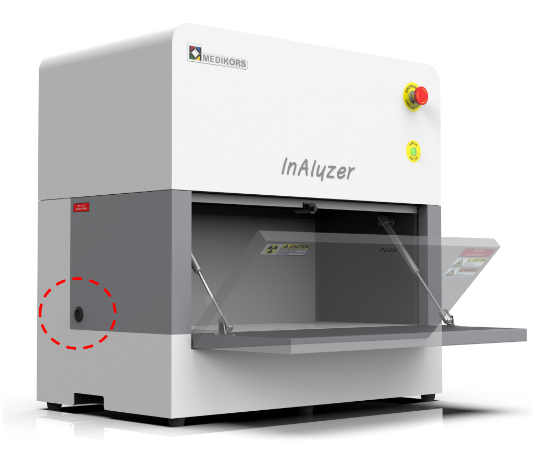
Dual-energy X-ray Absorptiometry
Location : Building A, Semi-SPF Shared Laboratory
How to use
- Turn on the computer.
- Turn on Maestro and wait about 1 minute for initialization.
- If the focus Knob is connected, check if the blue light is on. If it is not on, check the 3D Connexion Control panel on the computer.
- Launch Maestro software. (There is no need to wait for the LCTF to initialize.)
- Press the Excitation Lamp button for 3 seconds to turn on the excitation lamp.

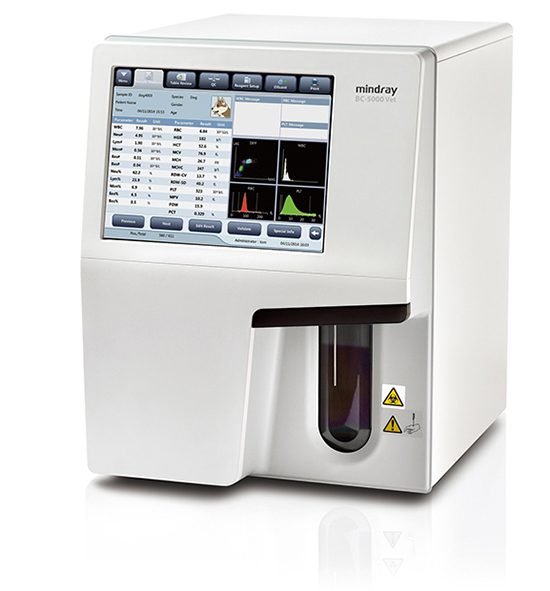
Hematology Analyzer
Location : Building A, Semi-SPF Shared Laboratory
How to use
- Turn on the power by pressing the ON button on the back of the machine.
- Log in by entering ID: Admin PW: Admin on the screen. (Press the Caps Lock button once and enter A, then press the Caps Lock button again to switch to lowercase and enter dmin)
- Enter notes in QC-> Set up in the Menu. (QC-> Count is for taking photos after the experiment.)
- Mix the collected blood well and insert it into the analyzer's machine.
- Results can be reviewed by sending them to a printout or a computer.
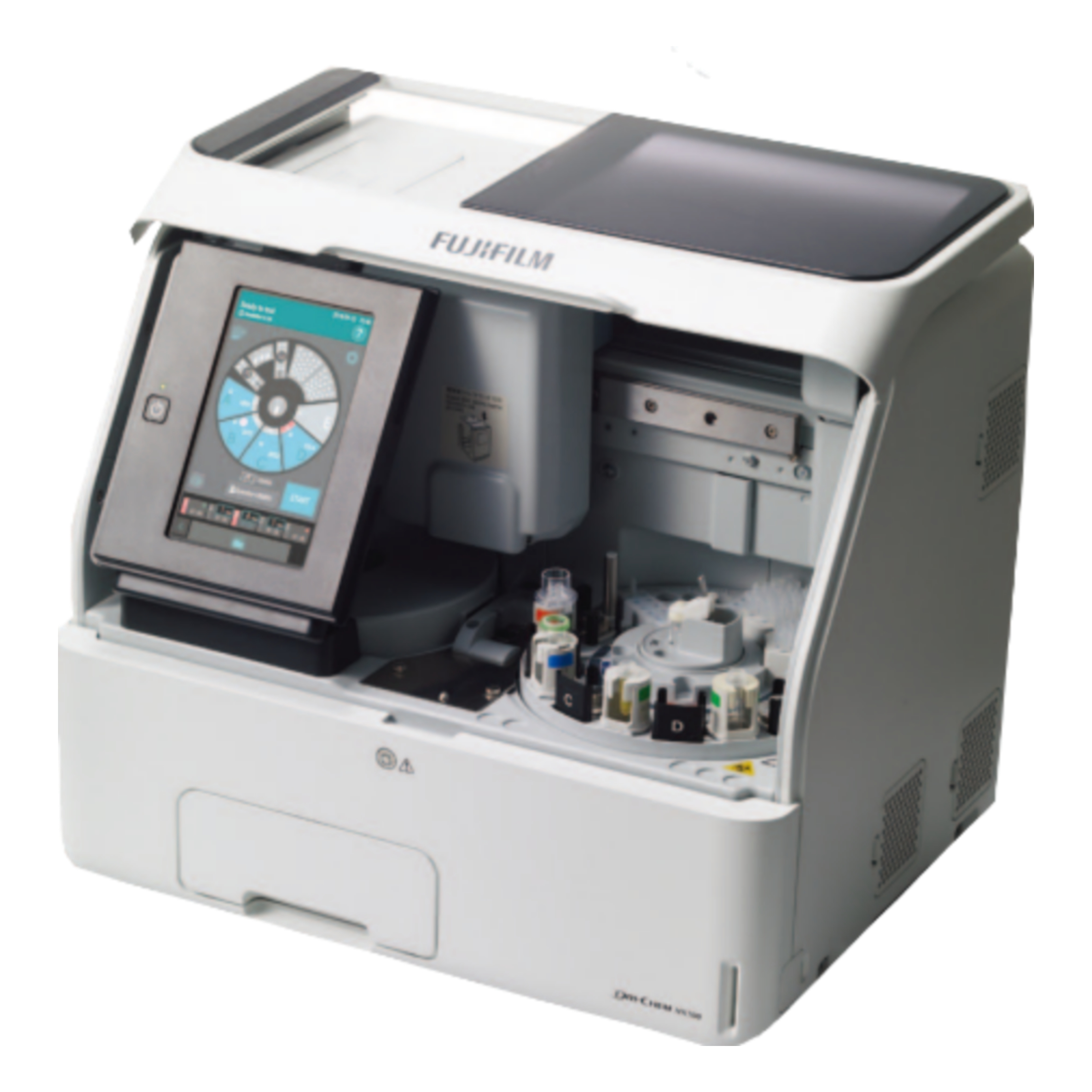
Biochemical Analyzer
Location : Building A, Semi-SPF Shared Laboratory
How to use
- Turn on the power by pressing the ON button on the right side of the machine.
- Each test requires 10μL of sample. (CRP requires 5μL/test and ISE requires 50μL/3 tests)
- Set the slides and specimens, insert the tips (thinner and more pointed than micro tubes), and press the start key. (All subsequent processes are fully automated)
- Up to 5 specimens can be set at the same time, and there is no manual operation after pressing the start key.
- Corrections can be made by inserting the QC card into the main unit.
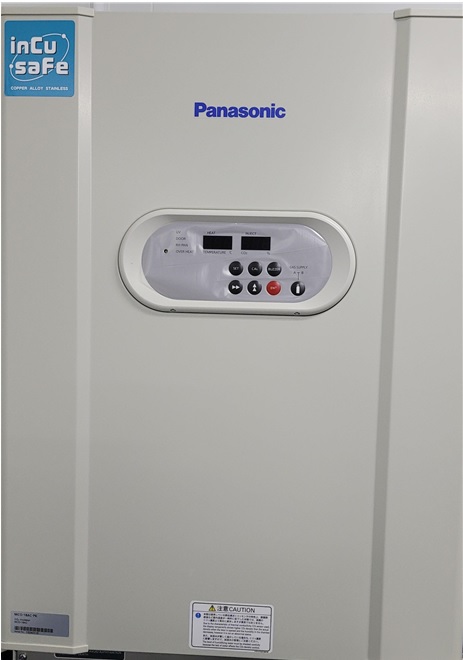
Cell/tissue Incubator
Location : Building A, Clean Lab 2
How to use
- Plug in the device.
- Disinfect the interior of the equipment by spraying alcohol and wiping it with paper towels.
- Depending on the experiment, add distilled water to the wide tray at the bottom
- Open the CO2 gas tank, set the temperature and CO2 concentration, and wait until the set environment is reached.
- After the incubation is finished, disinfect the interior of the equipment by spraying alcohol and wiping it with paper towels, close the CO2 gas tank, and unplug the device.
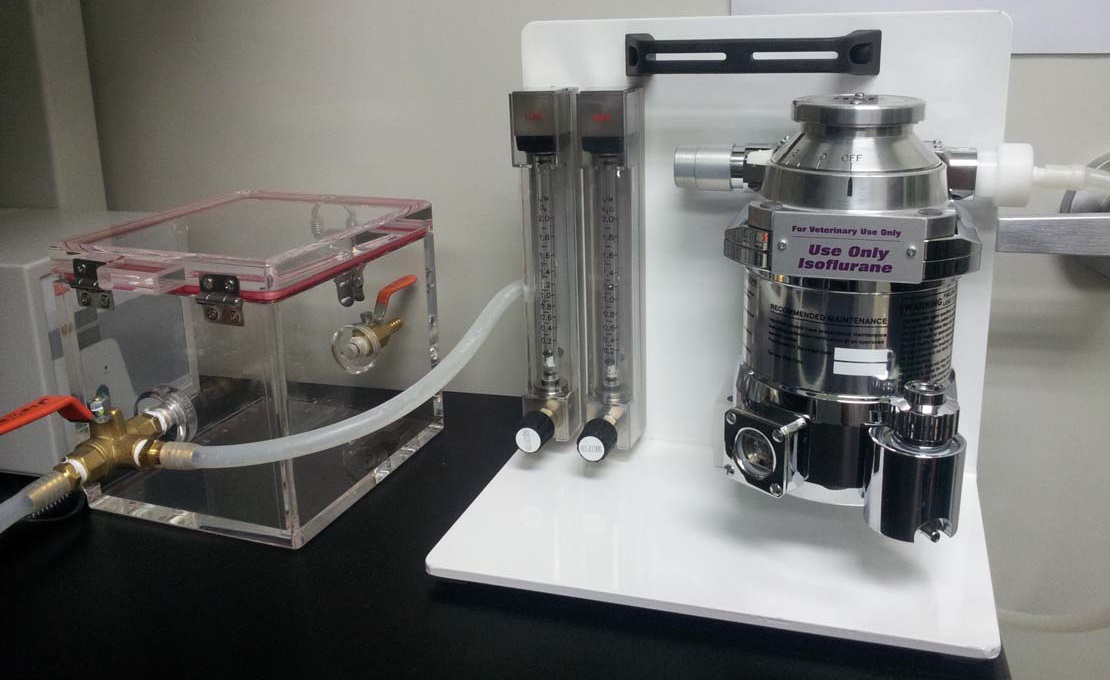
Inhalation Anesthesia System
Location : Building A (Semi-SPF), Building B (Conventional)
How to use
- Place the animal in the chamber (box).
- Open the oxygen tank gas valve, fill with an appropriate amount of isoflurane, and open the anesthetic lever.
- Once the animal is anesthetized, remove it from the chamber, place the animal's face into the hose, and turn the orange valve, which was directing gas toward the chamber, toward the hose.
- After use, close the anesthetic and oxygen tank valves, open the inhalation anesthesia machine's oxygen valve to remove residual pressure, and then close it completely.
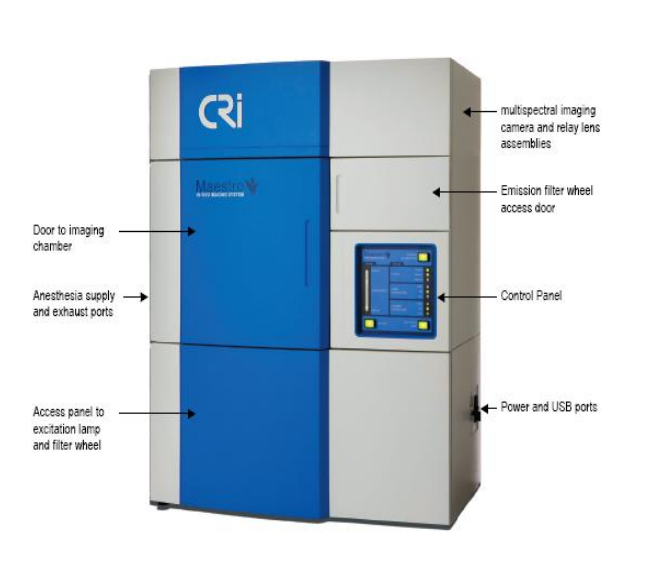
In Vivo Imaging System
Location : Building A, Clean Lab 1
Inquiry about equipment : Equipment Center Representative 02-3290-4064
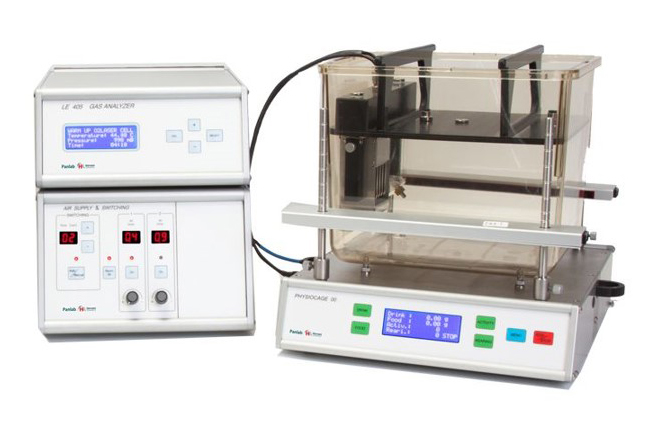
Oxylet metabolic analyzer
Location : Building A, Semi-SPF Analysis Room 5
How to use
- Turn ON the PC monitor power.
- Turn ON the power for all four Physiocage Units (LE1305).
- Turn ON the power for the Air Supply Unit (LE400).
- Turn ON the power for the Gas Analyser Unit (LE405).
- Run the metabolism program on the PC.
- Once all equipment is recognized by the Metabolism program, change the Switching time of the Air Supply Unit (LE400) to your desired time. (Default setting: 3 minutes)
Equipment Inquiries : Equipment Center Representative 02-3290-3954

